Adding Noticestry to Meta Business Suite
If your Instagram account is not connected to Meta Business Suite yet:
Go to business.facebook.com and log in.
Open Meta Business Suite for your business page.
Click Connect Instagram.
Log into the Instagram account.
Connect it to the business account.
Then continue to assign us access to both Facebook and Instagram using the instructions below.
To grant access to Meta Business Suite:
Go to business.facebook.com and log in.
Open Meta Business Suite for your business page.
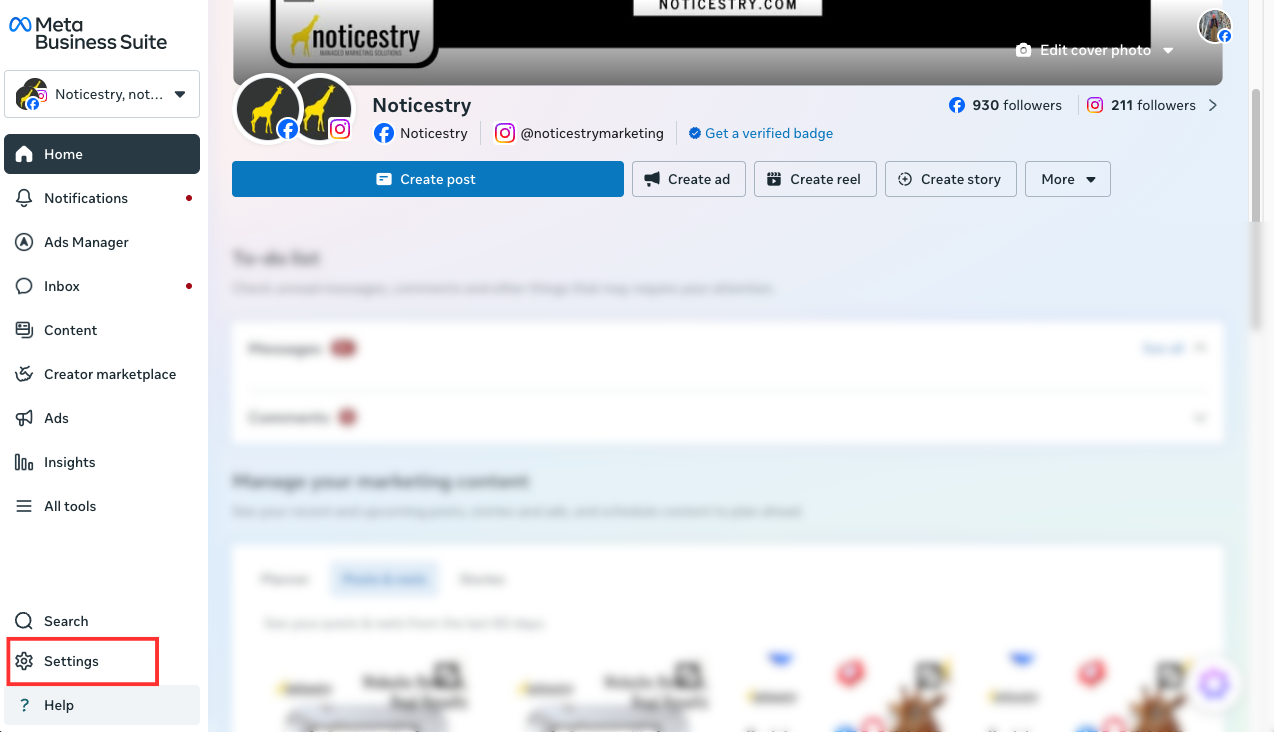
Go to Settings.
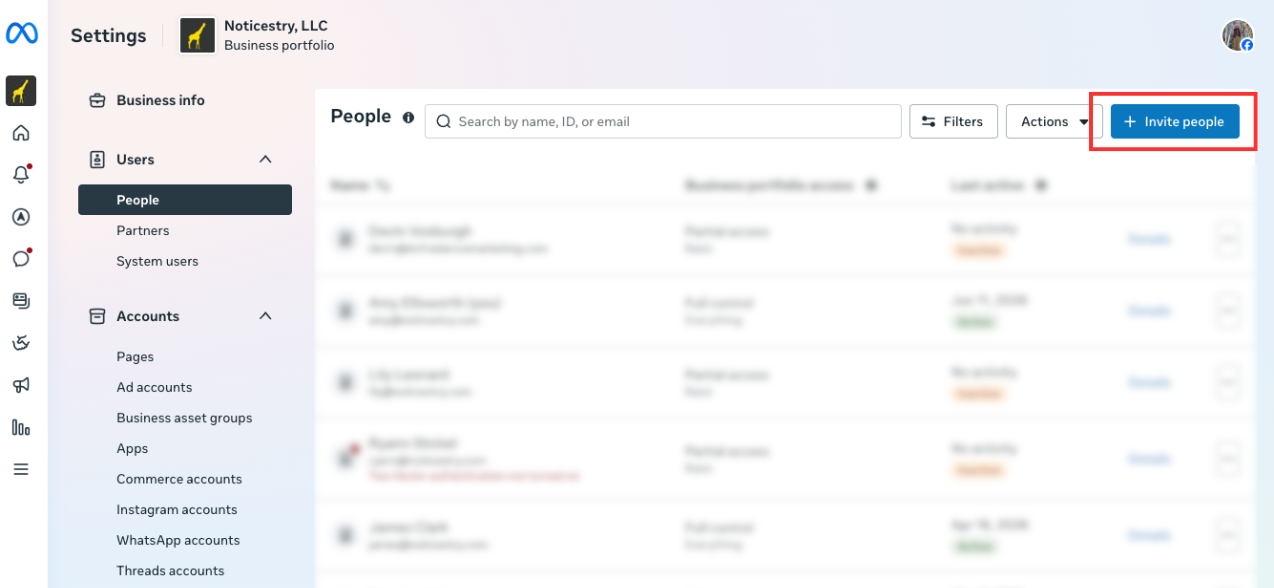
Look for Users, then choose People.
Click Invite people.
Enter: amy@noticestry.com
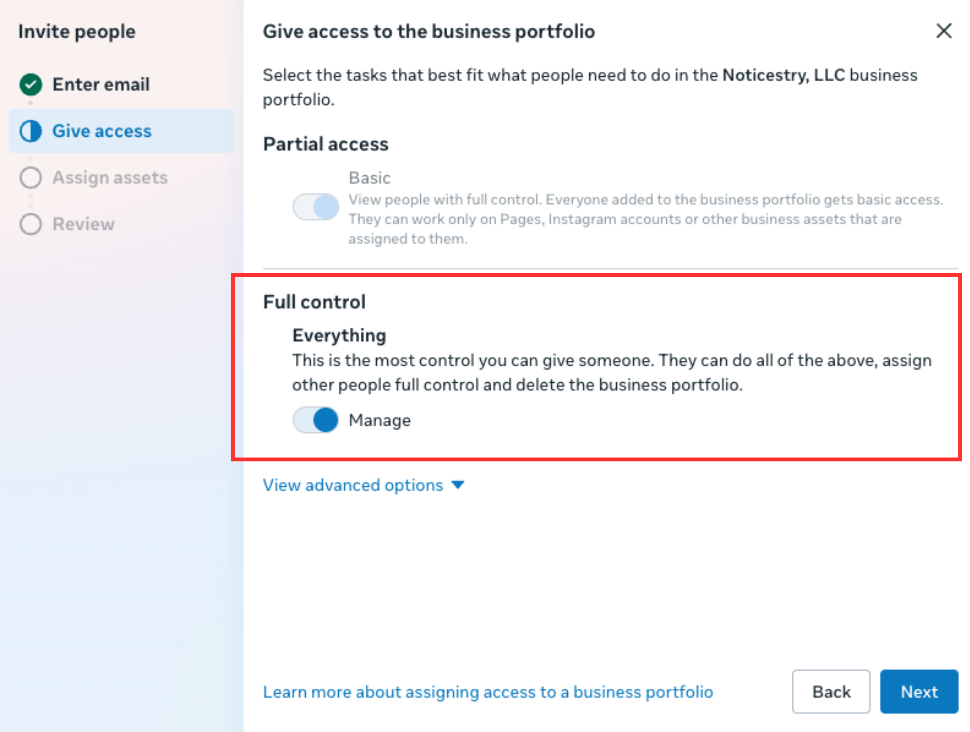
Give Full Control access to the business portfolio.
Give access to your Business Facebook Page and Instagram account.

Again, make sure Full Control is selected under Assign permissions. This will give us the ability to add Noticestry as an Agency, and to make any necessary changes.
Send the invitation.
 If you have any questions throughout this process please don't hesitate to reach out to team@noticestry.com or give us a call at 585-496-4466
Related Articles
Adding Noticestry to Facebook Ads Account - Without a Business Manager
Adding Noticestry to Facebook Ad Account Without A Business Manager Login to Facebook Navigate to adsmanager.facebook.com Make sure you select the correct ads account: On the left hand side choose "Ad Account Settings" On the right hand side, under ...Adding Noticestry to Google Business Profile
Sign into the Google account that manages your Google Business Profile. Search Google for your business name, or go to business.google.com. If you do not see the location that you are trying to give Noticestry Access to make sure that you are logged ...Adding Noticestry to Facebook Business Manager
1. Navigate to https://business.facebook.com You should see a screen similar to this: 2. Choose "Settings" on the bottom left of the black bar. Under Settings, you may be able to choose "Add People", if this doesn't work click "More Business ...Adding Noticestry to Google Business Profile (formerly Google My Business)
Go to https://www.google.com/business/ and click "Manage Now" Click on the location that you would like to give Noticestry Access to. If you do not see the location that you are trying to give Noticestry Access to make sure that you are logged into ...Adding Noticestry to a LinkedIn Business Page
Step 1. Navigate to linkedin.com and sign in. Step 2. Once signed in navigate to your profile picture in the upper right. Step 3. Choose the page that you want you want to go to. Step 4. Choose Manage Admins & + Add admin Step 5. Add "Ryan Wilsey" & ...